Telegram Reminder Bots
It's not always easy to keep all the important dates in mind: meetings, birthdays or even a routine monthly payment. And lots of different ways to write down reminders can only add to the confusion. For this, you can use Telegram, one of the most popular apps, which reminds you on your phone, computer or smartwatch.

These Telegram bots will help you keep all your events in one place and remind you about them on time.
Skeddy
Skeddy is quite a powerful tool for creating and managing reminders. It supports many formats for creating simple reminders via messages, as well as a web interface for creating complex ones with a custom schedule.
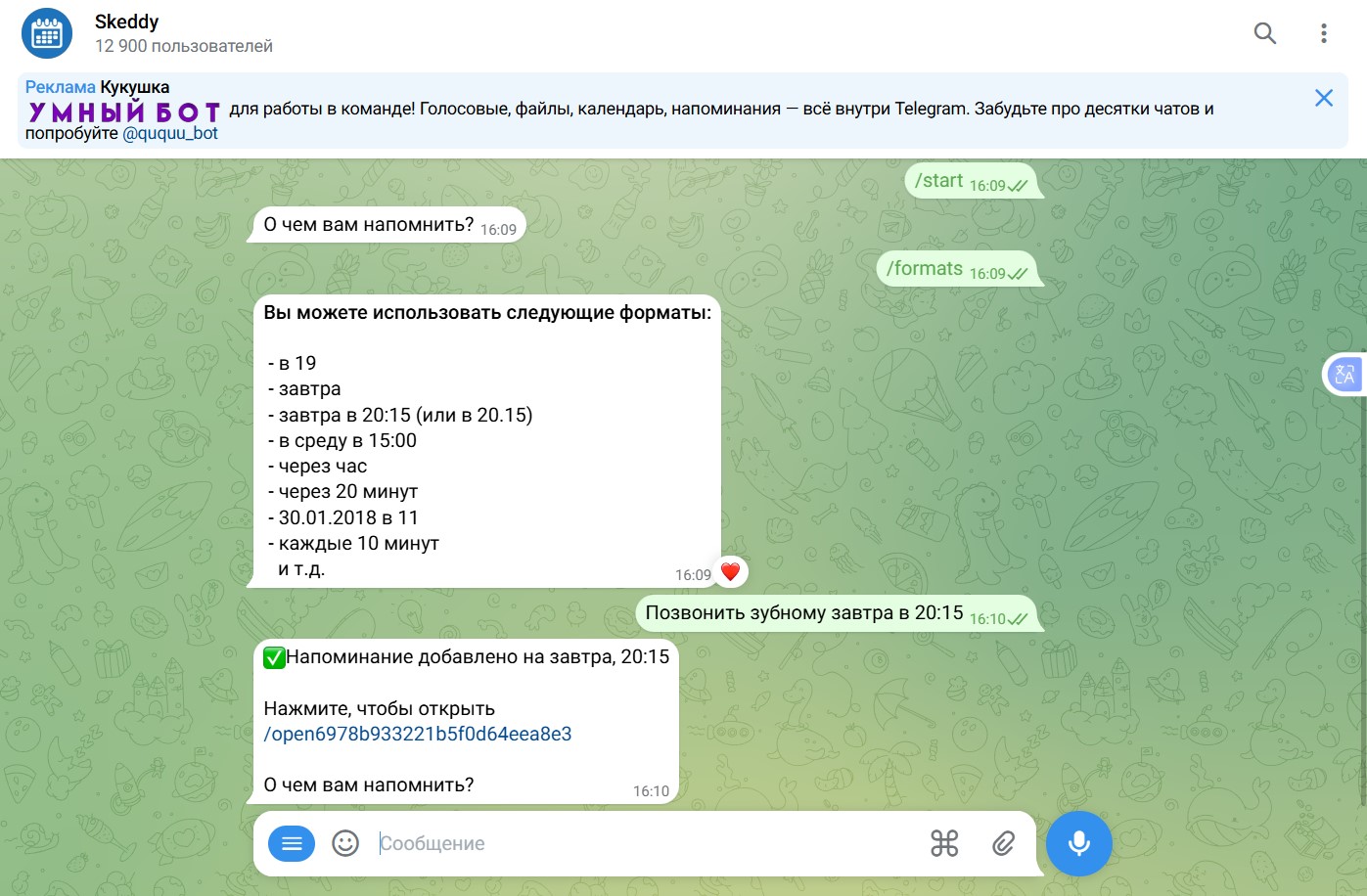
Most formats are very convenient, and the web interface helps create more precise reminders. But some reminders, for example birthday ones, are inconvenient to create there, because you always have to specify an exact time. The bot's command hints are in English, which may be inconvenient for Russian-speaking users. I also couldn't find a way to use "📝Save as a note" in the messenger: there is neither a command nor a button.
Notico
Notico has gained some interesting new features: adding reminders in the bot, a group or a channel; adding the bot to a topic; and managing the time format and time zone. Instead of a web interface, it uses an interactive interface right in the messenger.
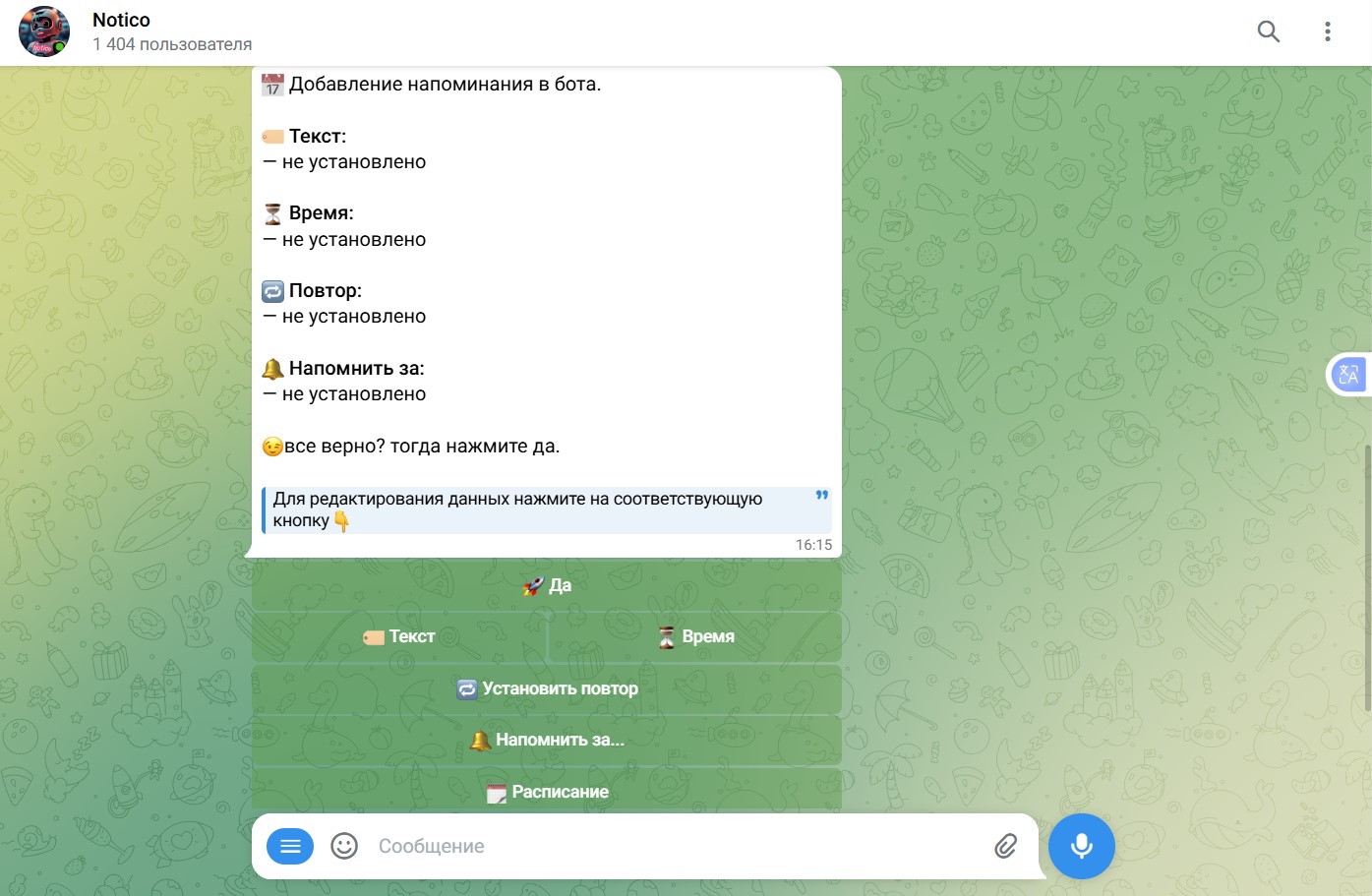
The bot is designed so that you can move to the next action only after finishing the previous one (creating or editing reminders), which makes interacting with it easier. However, creating a reminder through the interface has become a little harder, since there are now more steps, and this bot also requires you to enter a time. Unfortunately, the date format shown in the hints is probably outdated, because entering the time "21 янв 2026 в 11" from the example shows an error.
Napominalka
Despite its small number of users, the Napominalka ("Reminder") bot does its job amazingly well. An uncluttered interface, very accurate reminders from a single sentence, and support for voice messages — reminders now appear with a snap of your fingers.
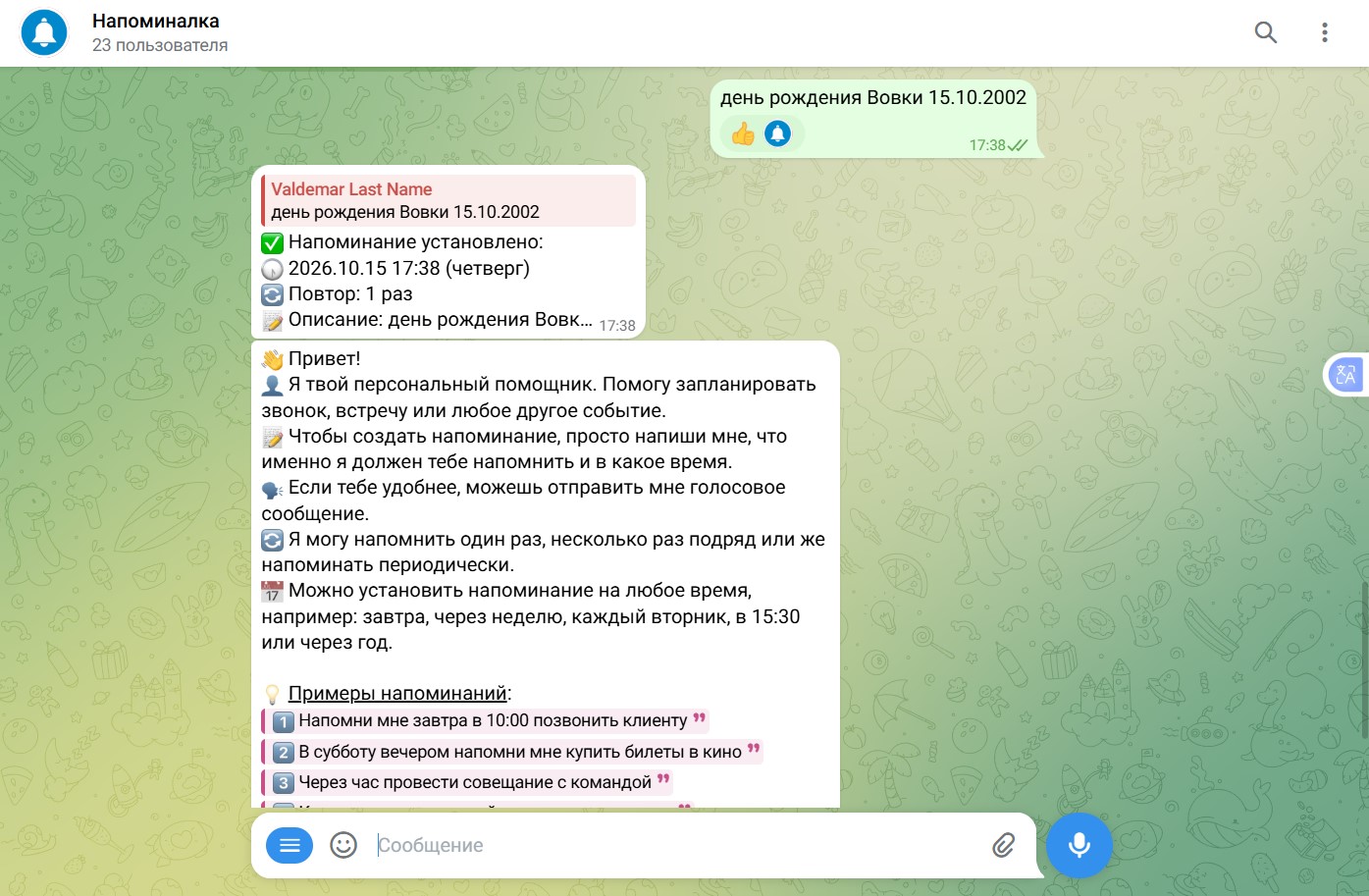
The bot works on a pay-as-you-go model, charging for each reminder you set. That said, the starting balance is enough to try out all of its features.
AVReminderBot
The main difference between AVReminderBot and the others is that it creates events rather than reminders. The type of event determines when the bot will remind you about it. One-time — a future event that is automatically deleted after the reminder (meetings, appointments). Yearly — an event that repeats every year (birthdays, anniversaries). Monthly — an event that repeats every month (paying for monthly services). So our task is to write down an important event, not to configure a reminder for it.
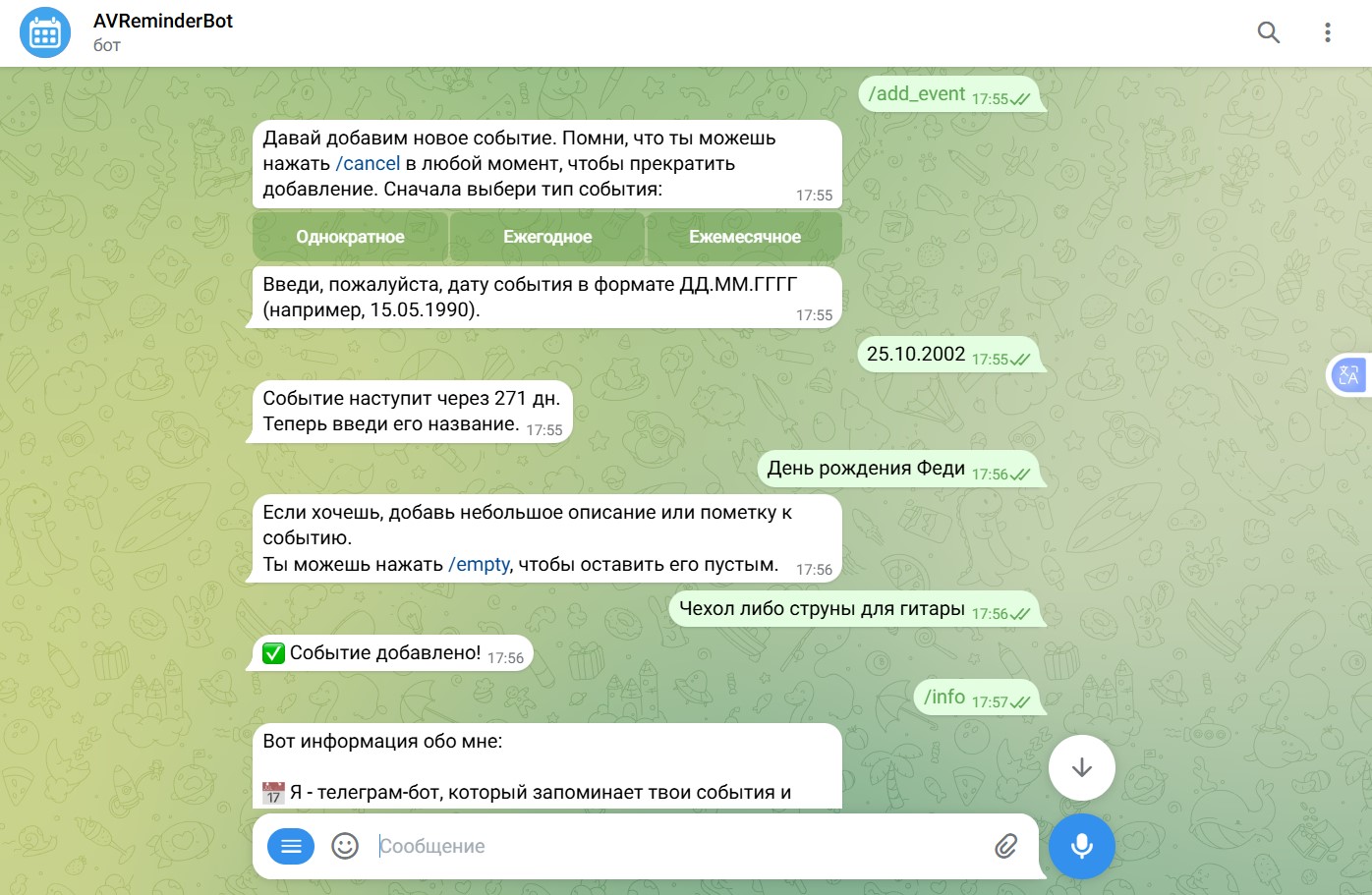
The bot reminds you about tomorrow's events, sends the events for the week every Monday, and the events for the month on the first day of each month. This lets you build a small plan for the near future. The bot has all the necessary conveniences: the number of days until the next event, pagination for the event list, search by title and description, automatic language detection and a user-friendly interface.
✅ Just don't forget to create the event!
AVReminderBot is live and free to use!Published